
Bink Video - The Video Codec for Games
Bink exporter plugin for Adobe Premiere and Adobe Media Encoder included.
Bink 2 lets you drop the data rate surprisingly low while maintaining beautiful quality.
It is also really fast, thanks to its multi-core scaling and SIMD design (up to 70% of the instructions executed on a frame are SIMD). Bink can decode 4K video frames (3840x2160) in a few milliseconds on current PCs and consoles using the CPU alone, and faster still with GPU-assisted decoding.
Bink 2 is available for Windows (x86, x64 and Arm64), macOS (Intel and Apple Silicon), Linux (x86 and Arm), Sony PS5 and PS4, Xbox Series X|S and Xbox One, Nintendo Switch and Switch 2, iOS and tvOS, Android, and the web (WebAssembly via Emscripten).
Bink is essentially the de facto video codec for games. It has been licensed for over 16,000 games!
Most game developers are shocked to find that they can get Bink videos playing in less than an hour - including tricky stuff like pixel shaders. Bink feels like a codec that you wrote custom for your game - it just works like you would expect it to.
You can also check out what our customers think, or you can read more about Bink on your game platform. Check out the Bink version history, if you are looking for something specific.
Let's go over a few of the cool things that Bink does, but remember, the fastest way to learn about Bink is just to email us and set up an evaluation!
Some Reasons Why Folks Love Bink:
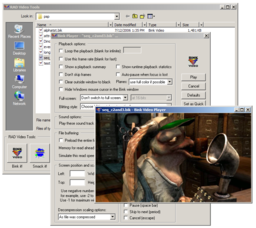
- Bink videos look amazing! We use a sophisticated deblocking algorithm, so your videos will look great even at super low data rates. Bink will always make the best possible video for your data rate.
- Bink is built right into Unreal Engine, and the Bink SDK includes a complete Unity integration.
- Bink 2 has HDR support built right in! Compress and play back high color-depth videos in your HDR game!
- Bink comes with simple integrated tools for compressing and viewing your videos. Import from anything Windows Media Foundation can read, plus Apple ProRes, OpenEXR and image sequences - or export directly from Adobe Premiere and Adobe Media Encoder with the included plugin.
- Bink 2's SDK is simple and powerful. Your game is always in control - there are no callbacks or other difficult-to-debug constructs. Using Bink is like using a codec that you wrote yourself.
- Bink 2 is completely self-contained - it needs no special system software, it needs no other audio codec, it needs no other surrounding architecture. Just one small library and you are good to go - there are no external installations or dependencies necessary.
- Bink 2 is super, super fast. In some cases, up to 10 times faster than other modern codecs. It's fast enough to use for in-game videos, as well as cut-scene videos. A video frame decode is 75% SIMD instructions, and decoding scales across multiple cores.
- Using compute shaders on Windows, Linux, Sony PS5/PS4 and Xbox, you can offload much of the Bink video decoding to the GPU! This is two to four times faster than CPU-only decode (and even more for 4K video).
- Bink 2 is built for multi-core. By default, it slices the screen in half and decompresses each on a separate core. But you can also compress using 3 or 4 slices for more speed on platforms with a lot of cores, or when you are playing high resolution video (like 4K video)!
- Bink uses as little memory as possible. In some cases, up to 16 MB to 120 MB less than other codecs! You don't have to worry about a simple video codec hogging all your memory (GPU-assisted decoding does use a bit more memory).
- Bink runs on every platform. You can use the same API and data files everywhere.
- Bink 2 has powerful alpha channel features for video sprites and compositing.
- Bink 2 uses a full range colorspace (from 0 to 255, instead of the more common 16 to 235). This makes a huge difference in gradients if you use RGB input files (make sure you don't use input files that already use a crushed Y range colorspace)!
- Bink has a VBR psycho-acoustic based audio codec capable up to 15:1 compression built-in. You don't need to license another codec for your audio.
- Bink can play many audio tracks at once - this allows the playback of 5.1 and 7.1 sound tracks (on supported platforms) as well as optional language tracks where you can turn on and off a language based on the system setting. Audio is mixed inside Bink, so it behaves the same on every platform.
- Bink runs on every game platform and is customized to take advantage of each one, including native sound output on each.
- Bink is super robust. The fact that it ships in so many games makes it better and better - it just doesn't crash. Bink can also handle bad input data - it just keeps chugging along until the input data gets better again.
- Game Developers love Bink so much that they voted it into the Game Developer Hall of Fame!
The best way to learn about Bink is to just try it! Download the RAD Video Tools to compress files into Bink format. Email us to get an evaluation SDK.
If you are having trouble, email support, or read the Bink and RAD Video Tools FAQ or check the RAD Video Tools help.
Thanks and Think Bink!